Vote on idea

Vote on idea

To grow the best ideas, you have to collaborate, discuss, refine and vote on ideas with the most potential for further developement. Voting is how your users express interest in an idea. If you have an active innovation community that is passionate about new ideas, your ideas will result in a lot of votes and likes.

To collaborate on the idea by voting on it, use Vote up (thumbs up) or Vote down (thumbs-down) option visible on:

1. the idea once you hover over it in the ideaboard view or
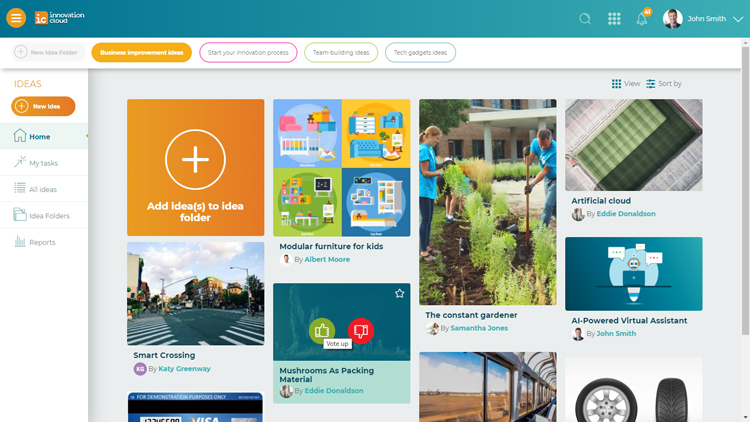
ic-vote-on-quick-idea.jpg

2. in the right menu of the idea preview page.
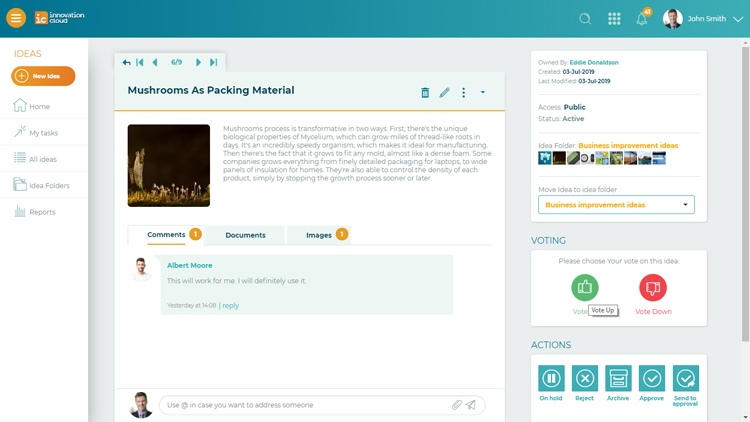
IC vote idea

Once you do so, a counter with all votes will appear on the screen.

Please note that users cannot see votes and vote listing before they vote. To access Vote listing with names of the voters and time of the vote go to right side of the idea page view and choose that option.
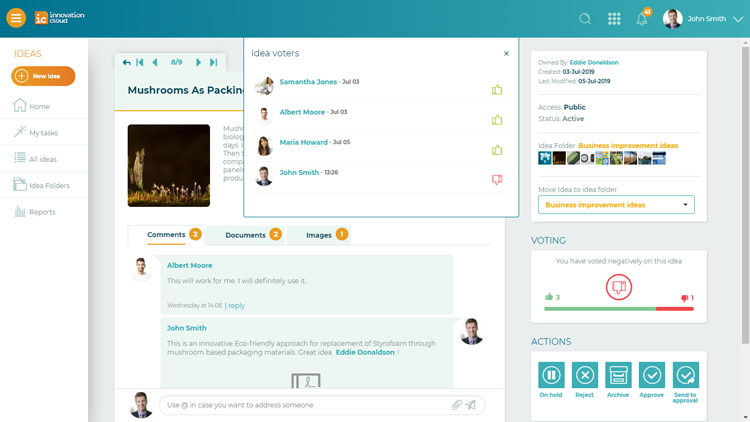
IC vote log

    • Related Articles

    • Edit idea

      Almost no idea emerges fully formed, and cross-functional collaboration improve ideas and help Idea owner to uncover the potentially fatal flaws of the idea so that they can be overcome. IMPORTANT: Only the Idea owner and Administrators can Edit the ...
    • Add idea

      Ideas can be added by anyone who has access to your Innovation Cloud. Innovation Cloud enables your team to share and collaborate on ideas anytime and from anywhere. You can add ideas in three different ways: 1. Home page (Ideaboard view) > Big ...
    • Forward idea

      If you need your colleagues’ help and his professional opinion in improving and developing your idea, you can always forward your idea by clicking on the three dots on the upper right corner of the idea box and select the Forward option. Mark the ...
    • Delete idea

      When it comes to managing ideas on Innovation Cloud, we strongly discourage from deleting them, since this action will permanently delete all data associated with the ideas, such as comments, likes, documents and scoring results. If the idea ...
    • Actions on idea

      The action buttons enable you to change the status of an idea, to progress and develop an idea, and finally to make the decision on implementation of the idea. When the idea is created and improved through collaboration, the only action Idea ...