Delete idea

Delete idea

When it comes to managing ideas on Innovation Cloud, we strongly discourage from deleting them, since this action will permanently delete all data associated with the ideas, such as comments, likes, documents and scoring results. If the idea currently is irrelevant or doesn’t satisfy your criteria for further development, you can always change its status to achieve. However, if you still want to delete a certain idea, it is possible to do so.

IMPORTANT: Only the Idea owner and Administrators can Delete submitted ideas.

There are three ways to Delete an idea:

1. Home page (Ideaboard view) > From the Idea Folders bar on the top of the screen select the Idea Folder where the idea you want to Delete is located. All ideas from that Idea Folder will be presented on the screen. When you enter the idea you want to Delete, click on the three dots on the upper right corner of the idea box and choose the Delete option.
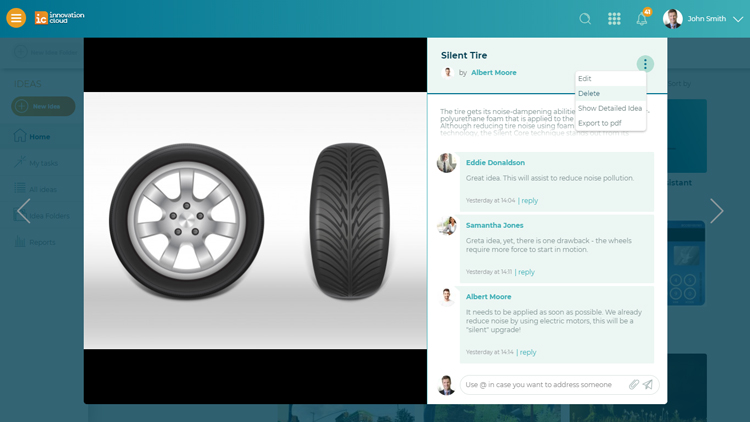
ic-quick-delete-idea.jpg

2. Home page (Ideaboard view) > Choose All ideas option placed on the left navigation menu. Find the idea you want to Delete, mark the checkbox located on the left side of the idea box and activate the Delete button (trash can) located on the top of ideas listing. This action can be used to delete multiple ideas.
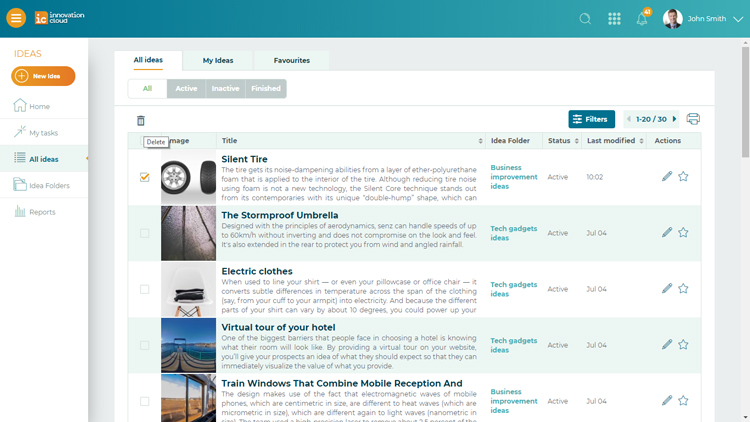
ic-delete-all-ideas.jpg

3. Use the Search field placed on the top of the screen and search for the idea you want to Delete by entering keywords of its content.
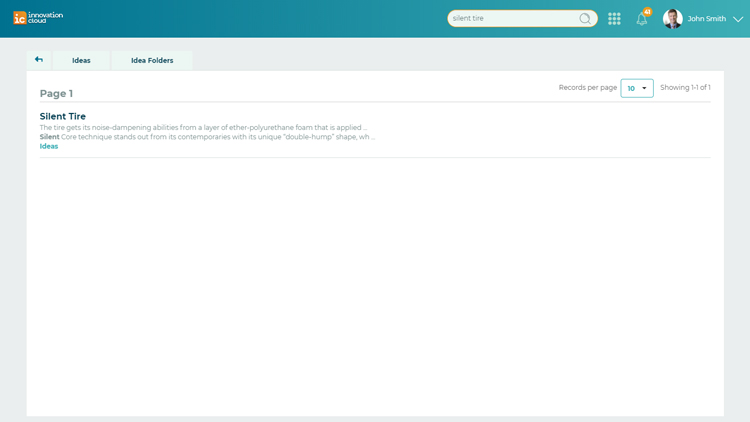
ic-search-delete.jpg

When you find and enter the idea, click on the trash can icon in the upper left corner of the idea box to Delete it.
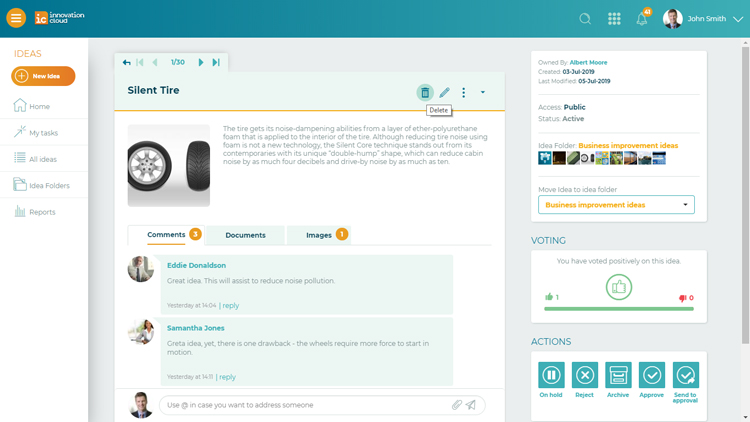
ic-delete-idea-view.jpg


    • Related Articles

    • Delete Idea Folder

      IMPORTANT: Only the Administrator of your Innovation Cloud account can Delete Idea Folders, once they are submitted. To Delete Idea Folder: 1. Left navigation menu > Idea Folders 2. After you enter the desired Idea Folder, click on the trash icon on ...
    • Collaborate within Idea Folders

      Each Idea Folder consists of 4 tabs: 1. Collected ideas - the list of all collected ideas associated with the Idea Folder. 2. Comments - placeholder of contextual debate about the topic of the Idea Folder. 3. Documents - placeholder of all relevant ...
    • Edit idea

      Almost no idea emerges fully formed, and cross-functional collaboration improve ideas and help Idea owner to uncover the potentially fatal flaws of the idea so that they can be overcome. IMPORTANT: Only the Idea owner and Administrators can Edit the ...
    • Add idea

      Ideas can be added by anyone who has access to your Innovation Cloud. Innovation Cloud enables your team to share and collaborate on ideas anytime and from anywhere. You can add ideas in three different ways: 1. Home page (Ideaboard view) > Big ...
    • Forward idea

      If you need your colleagues’ help and his professional opinion in improving and developing your idea, you can always forward your idea by clicking on the three dots on the upper right corner of the idea box and select the Forward option. Mark the ...